
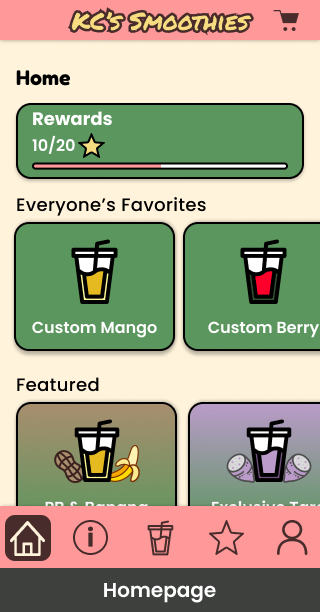
The problem: make choosing as clear as ordering
KC’s Fresh Fruit & Smoothies is a food truck on Drexel’s campus. Our team explored how customers could browse and customize an order before arriving at the truck.
My observation at the truck revealed different ways of ordering. One group ordered quickly without reading the menu. Another customer spent longer looking at it and asked about preparation time. The group left and returned for pickup; the other customer waited nearby.
These encounters pointed to a useful design question: How could we support both customers who know what they want and customers who need help choosing?
We focused on an ordering journey that made ingredients, selections, and next steps easier to understand. Ordering ahead was the project goal; reducing actual queues would require testing the service with the truck.
My role across two phases
The project developed across two courses, with a change in team responsibilities.
| Phase | My contribution | Team delivery |
| IDM 215 — Research and prototyping | Workflow observation, interview/reflection documentation, sketches, affinity-map contributions, and presentation/case-study work with Gavin and Thomas | Research synthesis, staged prototypes, and revisions; Joe and Eva focused on prototype changes |
| IDM 216 — UX and development | UX Designer and Front-end Developer, sharing responsibilities with teammates; local Git history also records my HTML and CSS contributions to the project presentation site | Continued UX revisions, responsive planning, and a web application implementation |
The decisions below describe our shared design work. My individual research and implementation responsibilities are identified separately.
What we learned
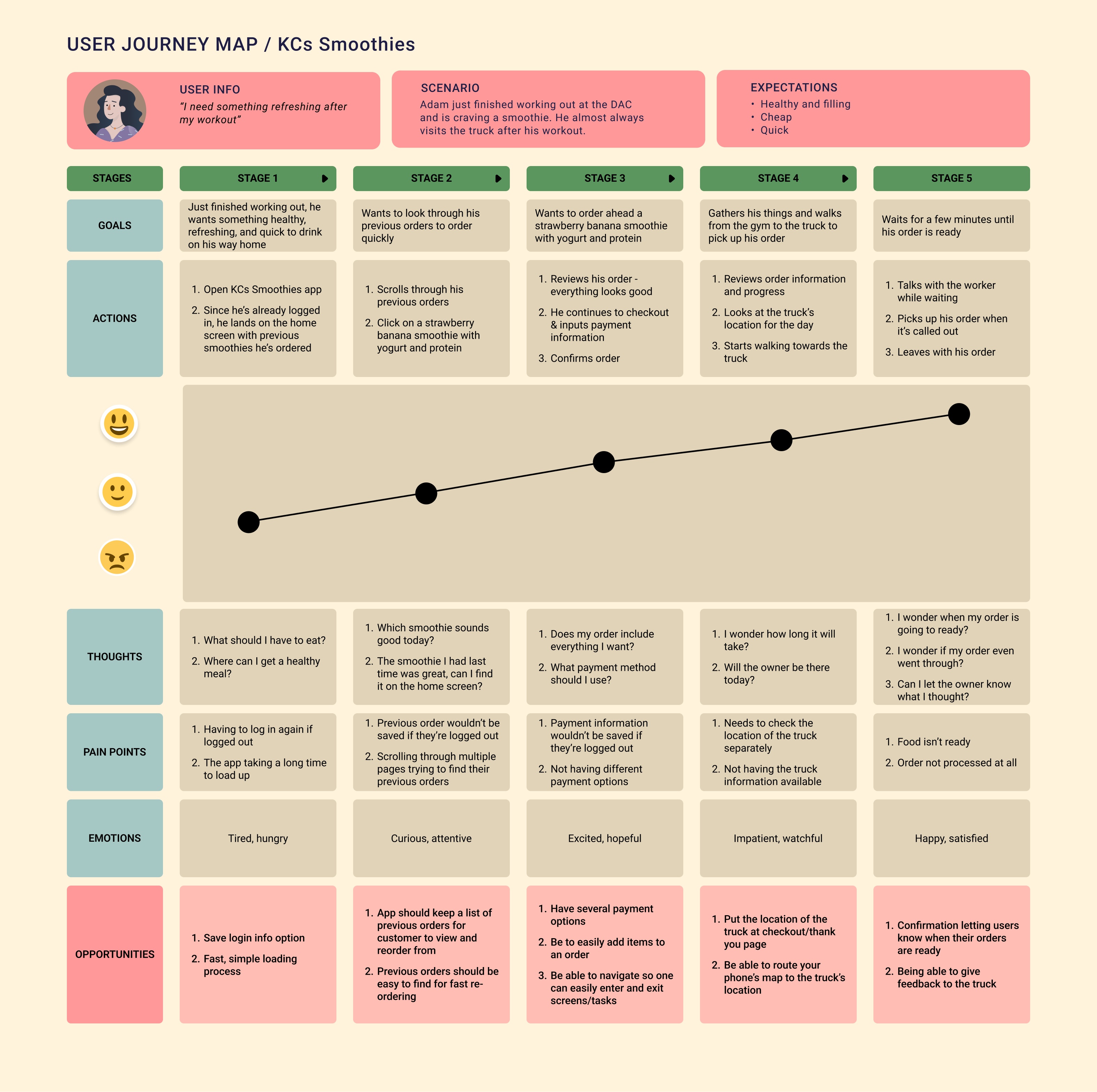
The team combined observations and interview notes in an affinity map. Three themes shaped the experience:
- Customers wanted flexibility. Ingredient variety and the ability to modify an order appeared throughout the notes.
- Convenience included information. Location, hours, waiting, and payment preferences mattered alongside selecting a drink.
- An app had to earn its place. Some customers welcomed mobile ordering; others preferred ordering in person or questioned app reliability. Friendly service was part of what they valued about the truck.
This gave us a direction: preserve the truck’s personality while making the digital steps explicit. A colorful interface would not be enough if customers could not find the order action or understand their selections.
We explored competitors, sketched alternatives, and carried the ordering journey through wireframes and multiple prototype stages. The most useful changes came from specific problems in those early versions.
1. Organize customization into smaller choices
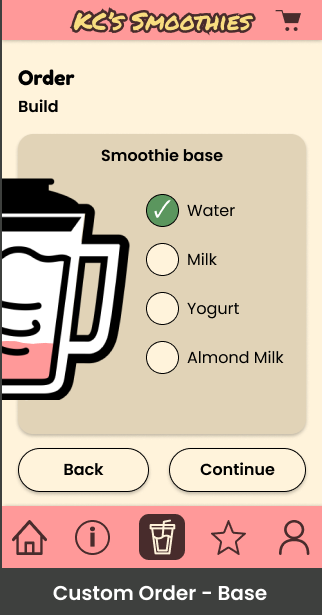
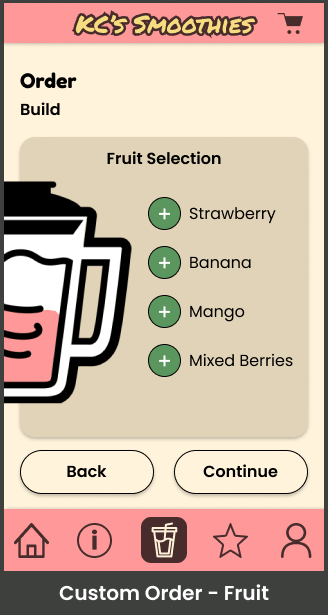
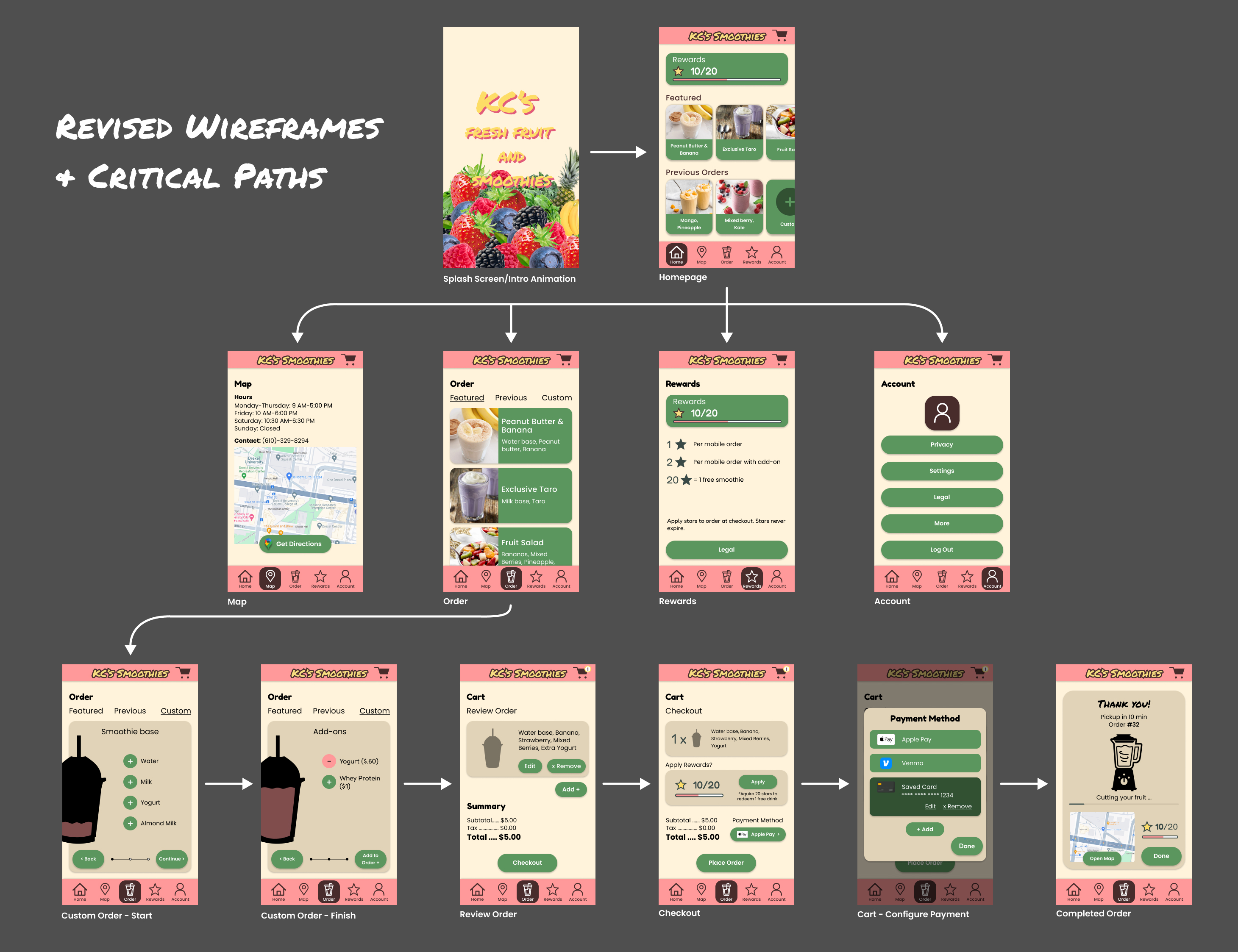
Customizing a smoothie involved several categories of options. The team separated those categories into individual screens rather than asking customers to work through a long list at once. The next course continued this structure and added a fruit-selection screen.
This gave each screen a more focused purpose. It also introduced a trade-off: a shorter list on each screen meant more steps to complete an order. Clear navigation and a way to revisit choices became important parts of the experience.
Looking back, I would compare the stepped flow with a single-page alternative using the same customization task. The question would be whether customers could understand and edit their choices, as well as how quickly they finished.
2. Distinguish progress from the next action
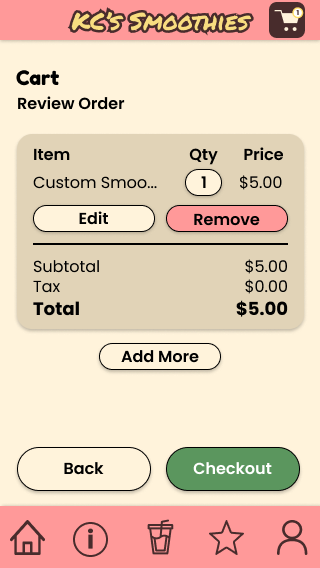
Early prototype testing, as recorded in our team case study, identified small buttons and a hard-to-find order action. We increased button sizes and spacing and revised the order entry point.
Instructor critique raised a related issue: the step-navigation treatment could be mistaken for a carousel, and a persistent order CTA was confusing once an order was already underway. These were different sources of feedback, but both pointed toward unclear actions.
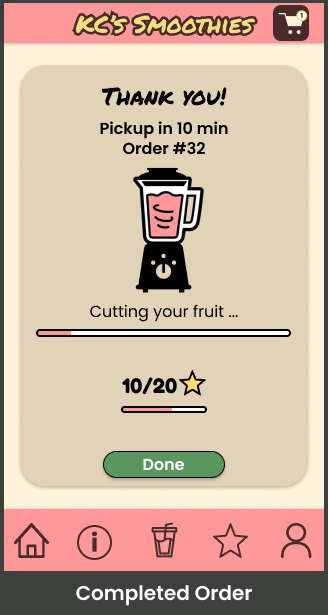
In IDM 216, post-testing revisions removed a small progress bar that duplicated the blender indicator. The space went toward larger progress controls.
The principle was to give status and navigation distinct jobs: show where the customer is, and make the next action recognizable. The blender could carry the brand’s character, while the controls needed to remain easy to interpret.
Earlier · Homework 4
Revised · Homework 6
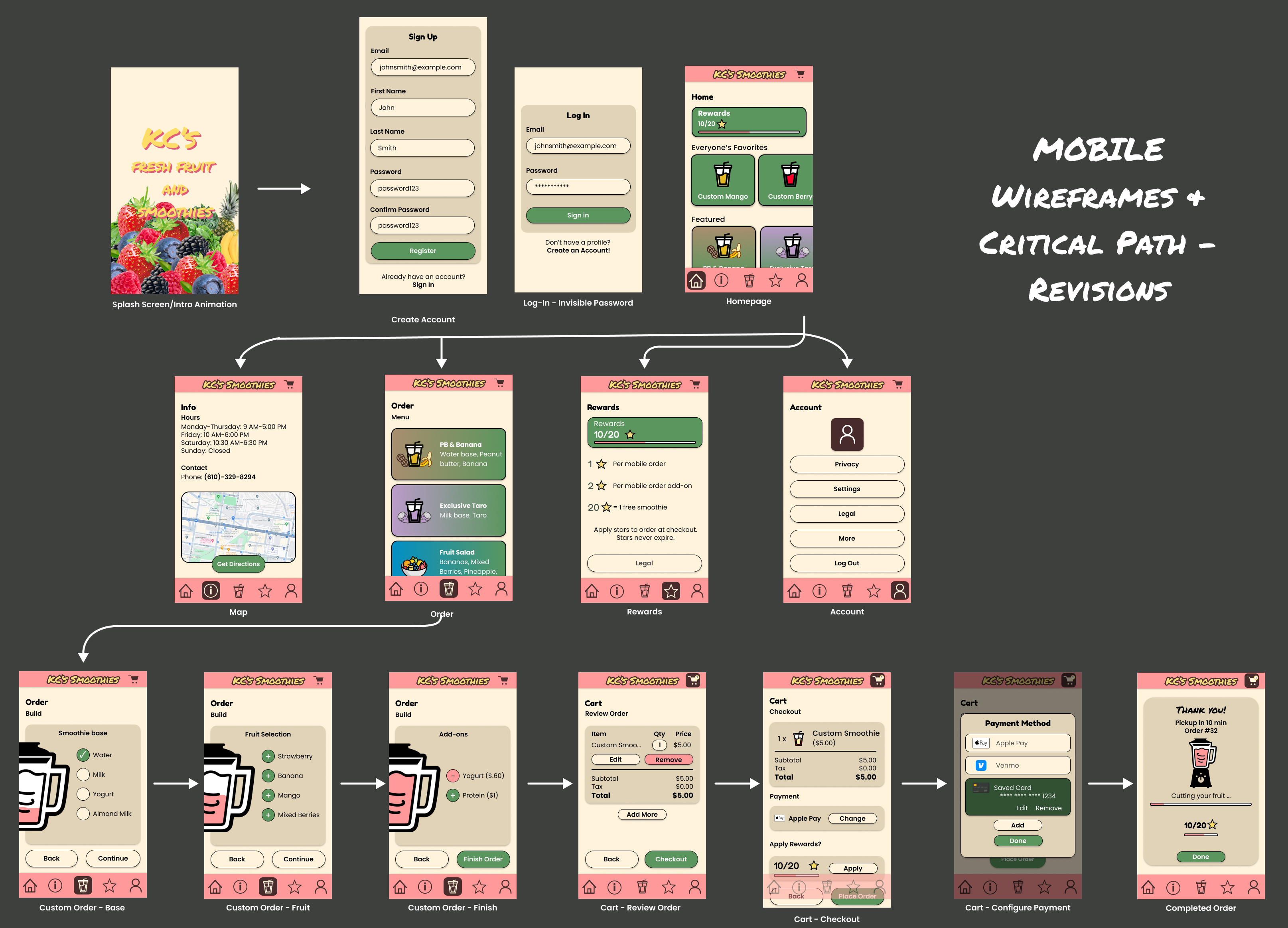
Compare the customization sequence at full size. These are different course versions, not a measured usability comparison.
3. Give the visual identity a clearer hierarchy
The first prototypes used a lively mix of colors and animation to reflect the truck’s upbeat personality. Critique identified competing colors, possible contrast issues, inconsistent navigation placement, and unintended transitions between screens.
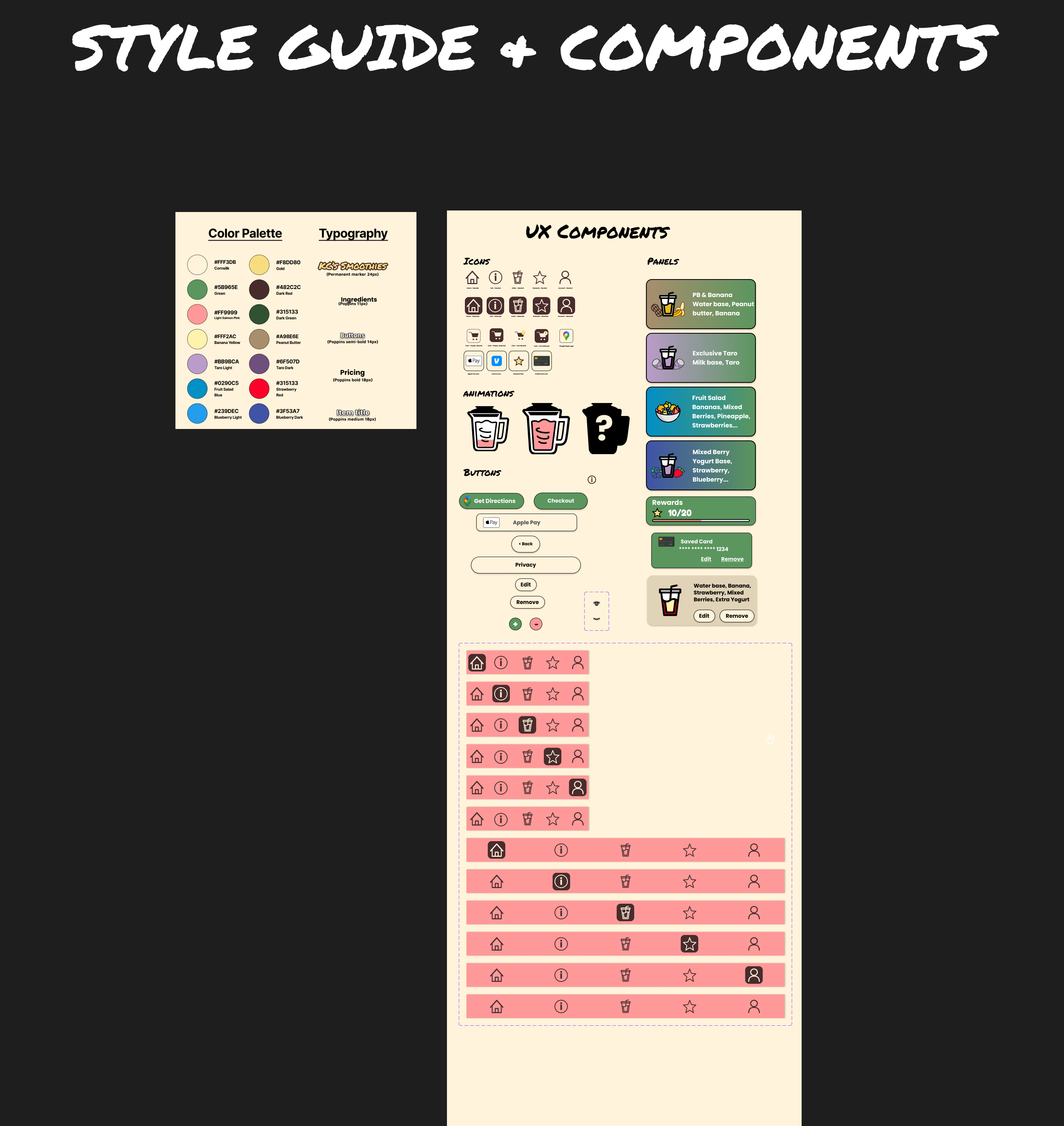
The visual direction evolved across the courses. IDM 215 narrowed the use of blue to rewards and order processing. Later IDM 216 notes removed blue, used green for rewards, darkened the wordmark, and standardized navigation icons. The continuation also increased text sizes to at least 16px and revised button treatments.
These changes moved the design toward a more consistent system while retaining its playful character. They also exposed a useful limit: increasing font sizes or adjusting colors is only part of accessibility. Contrast, focus behavior, keyboard access, and motion preferences would still need dedicated checks.
From prototype to implementation
IDM 216 extended the design into a web application project. The team documented critical paths for mobile, tablet, and desktop, developed style and component materials, and planned a database structure.
We also expanded the states around ordering. Post-testing notes added login, account creation, and password recovery flows. This helped move the project beyond the ideal sequence of linked screens toward the supporting states an application needs.
My role in this phase combined UX design and front-end development. The continuation required the team to consider consistency and supporting states alongside the main ordering path. The project archive includes web source and local setup instructions; it represents a course build rather than a verified commercial service.
Outcome
The project produced an interactive ordering prototype and a subsequent web application implementation, supported by research materials, staged design versions, and feedback records.
The documented revisions addressed concrete interface problems: small controls, an unclear order action, competing progress indicators, and inconsistent visual treatments. The continuation added responsive planning and more complete account states.
We did not collect reliable before-and-after task metrics or measure changes in real orders, queue length, or customer conversion. The outcome I can show is the design’s progression and the team’s response to feedback, supported by the project artifacts.
What I would do next
Looking back, I would put more emphasis on three things:
Test the whole pickup experience. Ordering ahead only helps if staff can fulfill orders and customers know when and where to collect them. A pilot would need to consider capacity, item availability, and pickup handling.
Make the evidence easier to compare. I would use consistent test tasks and record completion, wrong turns, and recovery across versions. That would help distinguish a promising revision from a demonstrated improvement.
Keep the personality, simplify the work. I would test whether first-time and returning customers can customize an item, change it during review, and explain the confirmation without depending on animation or guidance.
The project’s lasting lesson for me is that a distinctive interface needs a clear structure underneath it. Each color, transition, and control should help the customer understand what to do.